How to Claim and Verify Your Business in ChatGPT (2026 Guide)
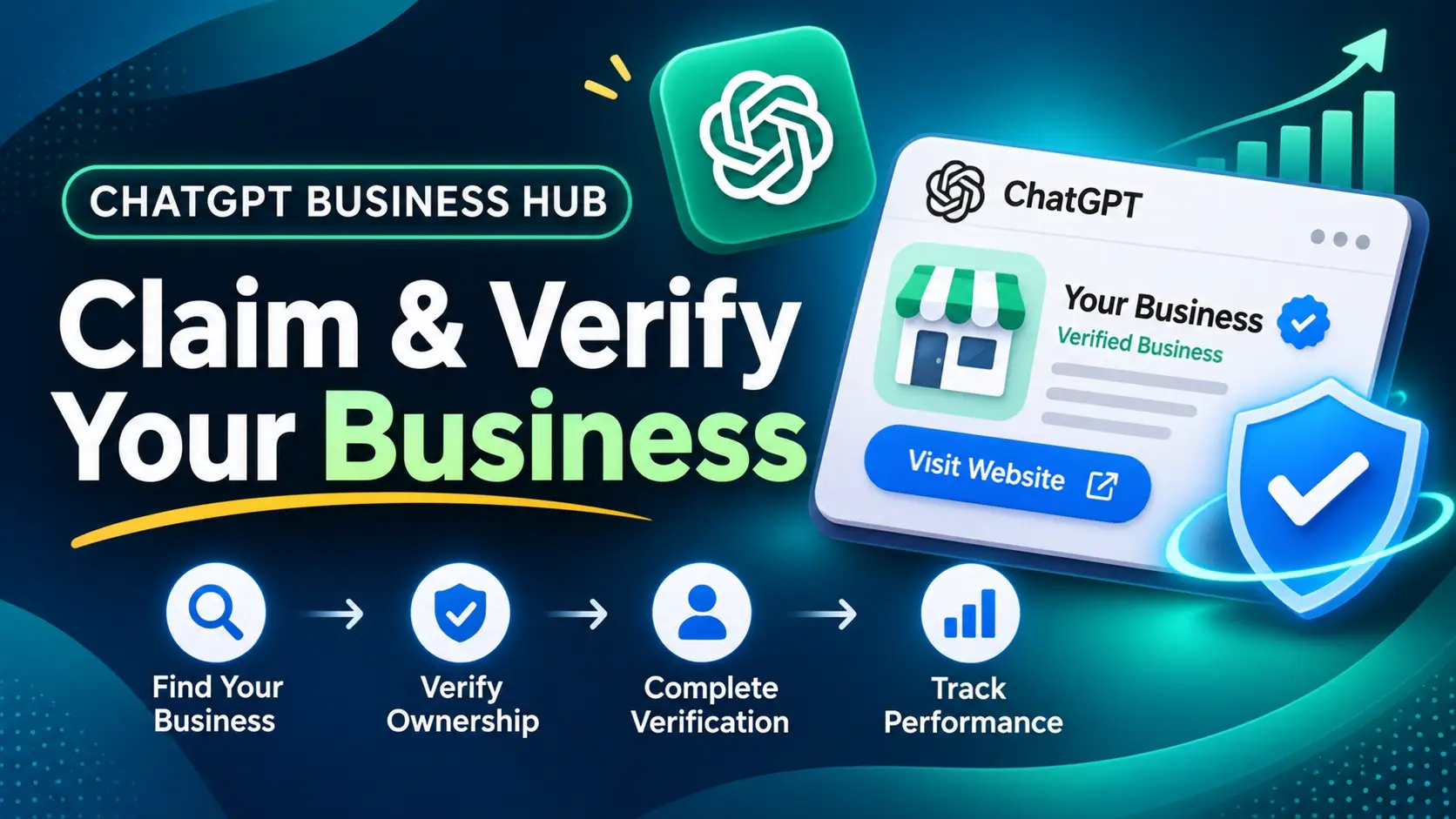
What if ChatGPT could recommend your business when someone searches for a product or service you offer?
People are increasingly using AI tools like ChatGPT to discover products, compare services, research companies, and make purchasing decisions. This creates a new opportunity for businesses to reach potential customers beyond traditional search engines.
On November 10, 2026, OpenAI introduced Businesses in ChatGPT, a feature that allows eligible business owners to claim their business, verify ownership, manage business information, and access performance insights.
Think of it as a business listing platform for AI-powered search, similar in concept to Google Business Profile.
In this guide, I’ll show you how to claim and verify your business in ChatGPT, optimize your business profile, and improve your chances of being discovered through AI search.
What Is ChatGPT Business Hub?
ChatGPT Business Hub is a platform from OpenAI that allows business owners to manage how their business information is presented within ChatGPT.
Instead of relying entirely on information collected from different websites, businesses can directly provide accurate and updated information about their products and services.
Using ChatGPT Business Hub, eligible businesses can:
- Claim their existing business listing.
- Verify their business ownership and identity.
- Obtain a blue verification badge.
- Update their business information.
- Submit product feeds with pricing and availability.
- Track business mentions and website clicks.
- Create an AI-powered Business Agent, if eligible.
Why Should You Verify Your Business in ChatGPT?
According to OpenAI’s official announcement, ChatGPT has approximately 1.2 billion weekly users as of November 10, 2026.
While not all of these users are searching for businesses, it shows the potential scale of AI-powered discovery.
For example, imagine you run a WordPress hosting company. A potential customer might ask ChatGPT:
- What are the best affordable WordPress hosting providers?
- Which hosting company offers free website migration?
- What is the best hosting for a WooCommerce website?
If ChatGPT considers your business relevant to the question, it may mention your company or recommend your website.
Here are some potential benefits of claiming your business.
| Benefit | How it helps your business |
|---|---|
| Business verification | Helps establish the authenticity of your profile. |
| AI search visibility | Provides accurate business information for AI-powered discovery. |
| Website traffic | Creates opportunities to attract relevant visitors. |
| Customer trust | Displays a verified badge on your business profile. |
| Product discovery | Helps customers explore your products and services. |
| Analytics | Provides insights into mentions and website clicks. |
| Business Agent | Allows eligible businesses to answer customer questions through AI. |
However, claiming your business does not automatically guarantee higher rankings, more traffic, or increased sales. ChatGPT continues to make independent recommendations based on the user’s question.
Who Can Claim a Business in ChatGPT?
Business verification is available to eligible business owners and authorized representatives.
OpenAI initially launched certain features for US-based businesses. However, on November 19, 2026, it expanded eligibility for eCommerce and online service businesses outside the United States.
This is particularly good news for online business owners in India and other countries.
You do not need to purchase ChatGPT Enterprise or run ChatGPT Ads to claim an eligible business.
Requirements for ChatGPT Business Verification
Before starting the verification process, I recommend keeping the following information ready:
- An active ChatGPT account.
- Your official business website.
- Access to your website’s DNS settings.
- Business email address and phone number.
- Registered business name and address.
- Government-issued identity document.
- Business registration information, if requested.
Make sure the information you submit matches your official business records.
Your brand name and registered company name may be different. That is fine, but enter the correct information in the respective fields.
How to Claim and Verify Your Business in ChatGPT

The process is relatively straightforward. However, there are two important stages: claiming your business and completing identity verification.
Let’s go through the process step by step.
Step 1: Open ChatGPT Business Hub
First, log in to your ChatGPT account.
Look for the Business Hub option in the sidebar. Alternatively, visit the official Business Hub website using the link below.
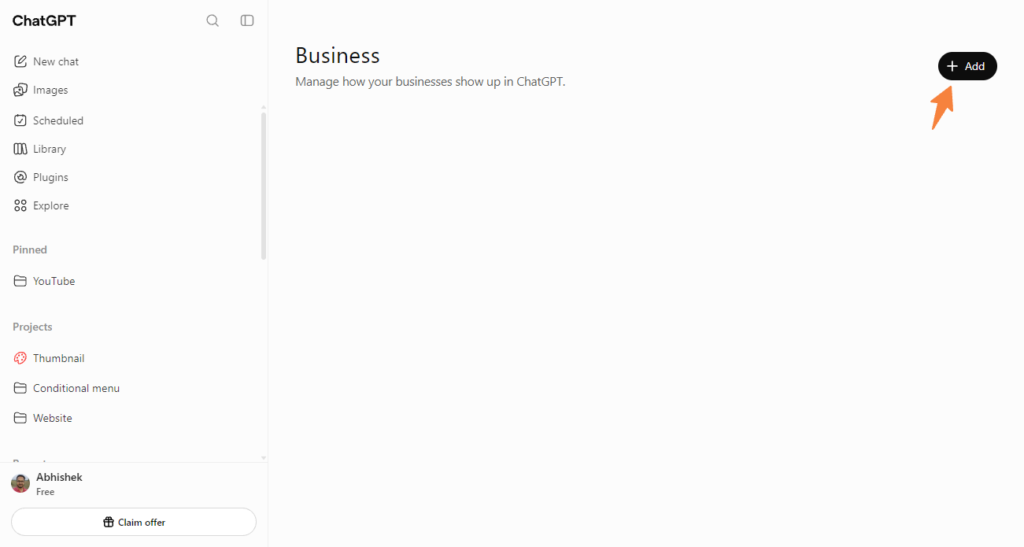
Visit: ChatGPT Business Hub
I recommend using an account controlled by your business rather than an employee’s personal account. This makes managing access easier as your business grows.
Step 2: Search for Your Business
Enter your business name in the search field.
ChatGPT will display matching business profiles if they are available.
Select the correct business after checking its name, website, and other identifying information.
If your business does not appear in the search results, look for an option to add or create a new business profile. This option is available to eligible online businesses.
Avoid creating duplicate profiles unnecessarily.
Step 3: Choose a Business Verification Method
ChatGPT needs to confirm that you are authorized to manage the business.
Depending on your business type, you may receive one or more verification options.
| Verification method | How it works |
|---|---|
| Business email | Enter a verification code sent to your business email. |
| Business phone | Receive a code through SMS or an automated call. |
| Website domain | Add a TXT record to your domain’s DNS settings. |
| Shopify | Connect your existing Shopify store. |
Not every business will receive all four options.
For WordPress and WooCommerce website owners, domain verification is a particularly useful option if it is available and you have access to your DNS settings.
Step 4: Verify Your Website Using a DNS TXT Record
If you select website domain verification, ChatGPT will generate a unique DNS TXT record.
You need to add this record to your domain’s DNS settings.
Here is how to do it:
- Copy the TXT record provided by ChatGPT.
- Log in to your DNS provider, such as Cloudflare, Hostinger, or GoDaddy.
- Open the DNS management section.
- Create a new TXT record.
- Enter the host name and value provided by ChatGPT.
- Save the DNS record.
- Return to ChatGPT and click Verify domain.
Your DNS record will look something like this:
| DNS field | Example value |
|---|---|
| Type | TXT |
| Name | Host name provided by ChatGPT |
| Content | Unique verification token provided by ChatGPT |
| TTL | Auto or default |
Use the actual values generated for your business, not the example values above.
Important DNS verification tips
One of the most common mistakes when working with DNS records is adding a record to the wrong DNS provider.
For example, if your domain is registered with Hostinger but your nameservers point to Cloudflare, you generally need to add the TXT record in Cloudflare.
Also, some DNS providers automatically append your domain name to the record’s host field. Adding the full domain again may result in an incorrect record.
If verification fails immediately, give the DNS changes some time to propagate before trying again.
Adding a separate TXT verification record should not affect your website or email services. However, avoid modifying existing A, CNAME, MX, or other important DNS records.
Step 5: Complete Identity Verification With Persona
Verifying your website is not the same as completing business identity verification.
After submitting your claim, complete the additional identity verification process through Persona.
Depending on your business, you may be asked to provide identification, business registration information, and proof that you are authorized to represent the business.
Open your business profile and look for the Complete verification with Persona option.
Follow the instructions and submit the requested information.
OpenAI will review your submission and notify you by email.
Step 6: Get Your Blue Verification Badge
Once your claim and required identity verification are approved, your business profile can display a blue verification badge in ChatGPT.
This badge indicates that the business has been claimed and identity verification has been approved.
Remember, the blue badge is not an endorsement of the quality of your products or services.
It also does not guarantee that ChatGPT will recommend your business over your competitors.
For more information, refer to OpenAI’s official business verification guide.
What Should You Do After Verifying Your Business?
Getting your business verified is just the first step.
The real opportunity comes from providing useful, accurate information that helps customers understand what your business offers.
1. Optimize Your Business Profile
Add a clear business description, official website URL, business category, logo, cover image, and relevant delivery and return policies.
Avoid writing a generic description filled with keywords.
For example, instead of writing:
“Best WordPress company offering the best WordPress services at affordable prices.”
Write something more specific:
“We provide WordPress website development, WooCommerce customization, website maintenance, and performance optimization services for small businesses and online store owners.”
The second description communicates exactly what the business does, which is more useful to both customers and AI systems.
2. Add Your Products to ChatGPT
If you run an eCommerce store, you can connect a product feed through Business Hub.
A product feed provides structured information about your products, including product names, descriptions, images, prices, availability, and product page URLs.
Shopify merchants can connect their existing store catalog.
WooCommerce store owners can prepare a CSV or hosted product feed that follows OpenAI’s product feed specifications.
If you manage a WooCommerce store, pay particular attention to product variations, stock availability, and pricing. Outdated product information can create a poor customer experience.
Submitting a product feed does not guarantee that your products will appear in every relevant ChatGPT recommendation.
3. Create a ChatGPT Business Agent
Eligible verified businesses can also create their own AI-powered Business Agent.
A Business Agent can help potential customers understand your products, compare available options, learn about your shipping and return policies, and navigate to your website.
For example, a customer browsing an online snack brand could ask its Business Agent:
- Which products are suitable for someone who prefers mild flavours?
- What ingredients are used in this product?
- Are there any combination packs available?
- What is your delivery policy?
This can help customers make more informed purchasing decisions.
Before publishing your Business Agent, test it with real questions that your customers frequently ask.
Make sure its answers accurately represent your products and policies, especially when discussing ingredients, allergens, pricing, refunds, or delivery timelines.
How to Track Your Business Performance in ChatGPT
ChatGPT Business Hub provides analytics to help you understand how people discover your business.
The Insights dashboard reports aggregated activity over the previous 28 days.
| Metric | What it tells you |
|---|---|
| Mentions | How frequently your website or qualifying local listing appears. |
| Website clicks | How often users click through to your website. |
| Discovery topics | Common themes associated with your business appearing in ChatGPT answers. |
For online businesses, simply mentioning the brand name without referencing the website does not count as a recorded mention.
Additionally, businesses cannot access individual users’ private conversations.
How to Use These Insights for SEO
Suppose you operate a WordPress plugin business and notice discovery topics related to website speed, Core Web Vitals, and WooCommerce performance.
You could use these insights to create:
- Detailed website speed optimization tutorials.
- Product comparison articles.
- Frequently asked questions.
- Performance case studies.
- Dedicated landing pages for WooCommerce users.
This allows you to use AI discovery insights as part of your existing content strategy.
Keep in mind that a blank metric does not necessarily mean your business received zero activity. OpenAI may not have collected enough data to display the metric.
ChatGPT Business Hub vs Google Business Profile
If you are familiar with Google Business Profile, you may wonder whether ChatGPT Business Hub serves the same purpose.
Although both platforms help businesses manage their online presence, they work differently.
| Feature | ChatGPT Business Hub | Google Business Profile |
|---|---|---|
| Platform | ChatGPT | Google Search and Maps |
| Discovery method | AI conversations and recommendations | Search and local map results |
| Main purpose | AI-powered business discovery | Local business discovery |
| Business verification | Available for eligible businesses | Available for eligible businesses |
| Online-only businesses | Supported for eligible categories | Generally not eligible |
| Customer reviews | Not a primary Business Hub feature | Supported |
| Product information | Product feeds | Product listings where supported |
| Analytics | Mentions, clicks and discovery topics | Searches and business interactions |
| AI Business Agent | Available for eligible businesses | Different product ecosystem |
My recommendation is to use both platforms where your business is eligible.
ChatGPT Business Hub should complement your existing SEO and digital marketing efforts rather than replace them.
How to Optimize Your Website for ChatGPT Search
Claiming your business is important, but your website still plays a major role in how AI systems understand your business.
This is where Generative Engine Optimization (GEO), often discussed alongside Answer Engine Optimization (AEO), becomes useful.
Here are some practical steps you can follow.
Allow OpenAI’s Search Crawler
OpenAI uses a web crawler called OAI-SearchBot to discover website content for ChatGPT Search.
Make sure your website is not unintentionally blocking this crawler through its robots.txt file or firewall.
For example, your robots.txt file can contain the following rule:
User-agent: OAI-SearchBot
Allow: /
If you already have a rule for OAI-SearchBot, review it instead of adding conflicting directives.
You can check your robots.txt file by visiting yourdomain.com/robots.txt.
OAI-SearchBot is different from GPTBot, which is used for model training. You can manage their access independently.
Read the official OpenAI crawler documentation for more information.
Publish Helpful, Original Content
Create content that directly answers the questions your potential customers ask.
Instead of publishing hundreds of generic AI-generated articles, focus on content that demonstrates genuine knowledge and provides practical value.
Include original screenshots, product demonstrations, comparisons, testing results, and real customer questions whenever possible.
Add Structured Data to Your Website
Structured data helps search engines and other systems understand your website information.
Depending on your business, you can implement Organization, Product, LocalBusiness, Article, and BreadcrumbList schema markup.
WordPress SEO plugins such as Rank Math and Yoast SEO can help with this.
Structured data should accurately represent the visible content on your website. It is not a guaranteed ranking factor for ChatGPT recommendations.
Keep Your Business Information Consistent
Make sure your business name, contact information, website address, product descriptions, and policies are consistent across your website, social media accounts, business directories, and other platforms.
Inconsistent information makes it harder for customers and automated systems to understand your business correctly.
Track ChatGPT Referral Traffic
Use Google Analytics 4 to monitor visitors arriving from ChatGPT.
Navigate to Reports → Acquisition → Traffic acquisition and look for traffic sources associated with chatgpt.com.
You can then analyze visitor engagement, conversions, leads, purchases, and revenue where your analytics setup supports them.
Business Hub tells you about discovery within ChatGPT, while Google Analytics helps you understand what visitors do after arriving on your website.
Common ChatGPT Business Verification Problems and Solutions
| Problem | Possible solution |
|---|---|
| Business not appearing | Search using the correct brand name or check whether you can create a profile. |
| DNS verification failed | Check your DNS provider, host name, verification token, and propagation status. |
| Verification email not received | Check your spam folder and confirm the email address. |
| Persona verification failed | Make sure the submitted information matches official records. |
| Business already claimed | Use the ownership dispute option. |
| Verification stuck in pending | Check your email and allow the review to finish. |
| Blue badge not appearing | Check whether your Persona verification has been approved. |
| Analytics showing no data | Reporting thresholds may not have been reached. |
If the problem continues, contact OpenAI Support with the relevant error message and a screenshot that does not expose sensitive information.
Frequently Asked Questions
Is it free to claim a business in ChatGPT?
Eligible businesses can claim their profiles without purchasing an Enterprise agreement or running paid advertisements. Advertising and business verification are separate features.
Can I verify my business in ChatGPT from India?
Yes. Eligible eCommerce and online service businesses outside the United States can claim their business following OpenAI’s November 19, 2026, update. However, claiming physical local business listings remains limited to existing US listings.
Can I add my WooCommerce store to ChatGPT?
Yes, eligible WooCommerce store owners can claim their business, verify ownership, and submit compatible product feeds to provide product information to ChatGPT.
How long does ChatGPT business verification take?
The initial setup may take only a few minutes. However, DNS propagation, ownership checks, and identity verification can take longer. OpenAI does not guarantee a fixed approval time.
Do I need a ChatGPT Plus subscription to verify my business?
OpenAI does not list a Plus subscription as a general requirement for claiming an eligible business. You need an appropriate ChatGPT account and must satisfy the business verification requirements.
Will verifying my business improve my ChatGPT rankings?
Not necessarily. Verification helps you manage and provide accurate business information, but it does not guarantee better rankings or recommendations.
Can ChatGPT recommend my business without verification?
Yes. ChatGPT may already discover and recommend your business using publicly available information. Verification provides additional tools for managing your business profile.
Can I claim multiple businesses in ChatGPT?
Business Hub supports managing multiple business profiles, provided you are authorized to represent each business and satisfy the relevant eligibility and verification requirements.
Is ChatGPT Business Hub the same as a ChatGPT Business subscription?
No. Business Hub is designed for managing your business presence in ChatGPT, whereas ChatGPT Business is a subscription workspace designed for organizations and teams.
Final Thoughts
AI-powered search is creating another way for people to discover businesses, products, and services online.
If you already invest in SEO, content marketing, or eCommerce, claiming your business in ChatGPT is worth considering.
What I find particularly interesting about Business Hub is not just the verification badge, but the ability to see how often your business appears in ChatGPT and which topics are associated with its discovery.
These insights can help you identify content opportunities and understand how people interact with your business through AI.
However, verification alone is not a marketing strategy. You still need a useful website, quality products or services, accurate information, and helpful content.
Start by claiming your business, complete the verification process, optimize your profile, and continue improving your website for both traditional and AI-powered search.
Claim your business here: ChatGPT Business Hub